Open Source · Written in Rust

Read Markdown
the way it was meant.

A clean, distraction-free Markdown viewer built for those who value simplicity. Renders beautifully, stays out of your way.

Windows macOS Linux
README.md — Readfence
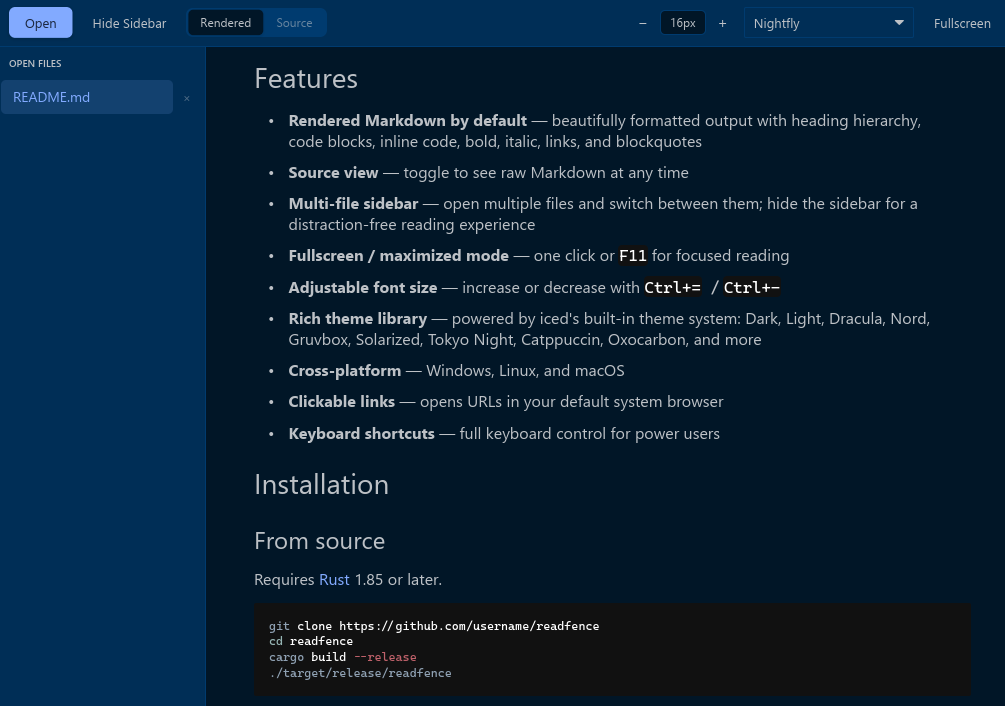
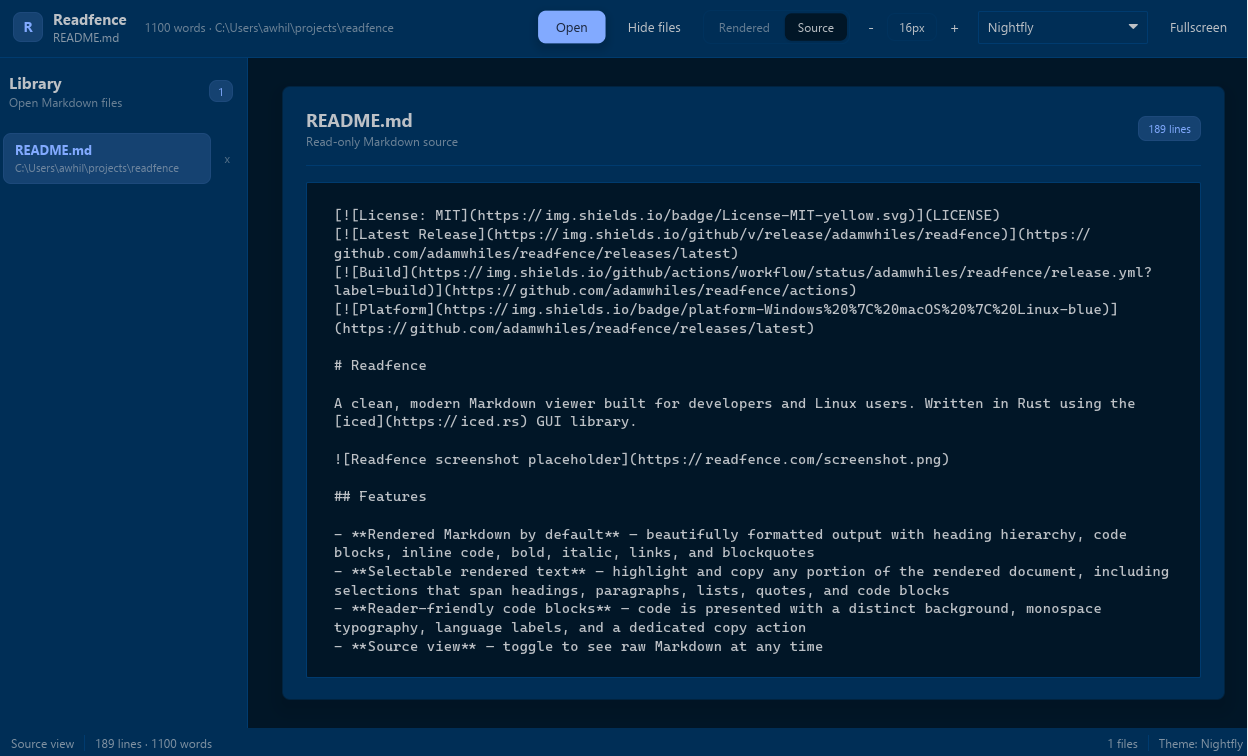
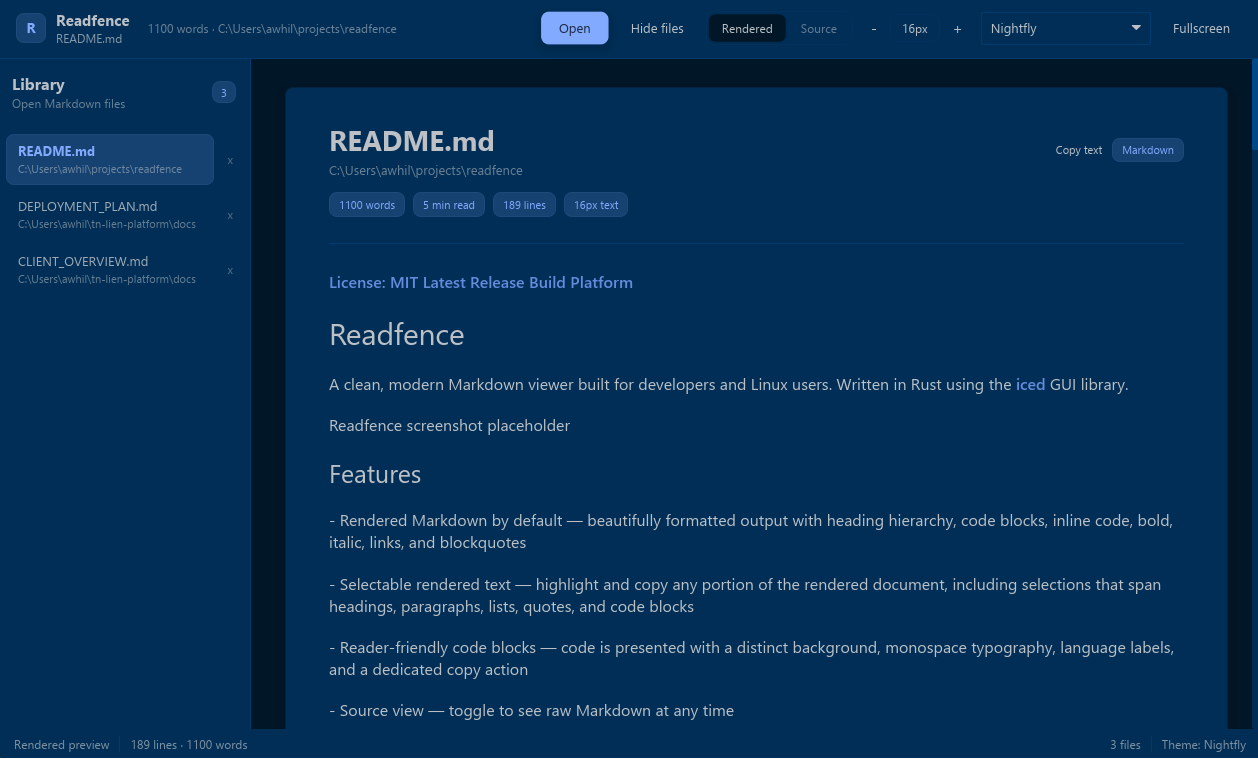
Readfence app showing rendered markdown

Everything you need. Nothing you don't.

Rendered by default

Opens every file in rendered view. Headings, code blocks, tables, bold, italic — all rendered cleanly. Switch to source with one click.

Multi-file sidebar

Open multiple files at once and switch between them in the sidebar. Hide it for a clean, distraction-free reading experience.

True fullscreen

One key — F11 — drops everything and gives you the full screen. Perfect for focused reading or presentations.

Aa

Adjustable font size

Scale text up or down with Ctrl+= and Ctrl+−. From 10px to 36px, the whole document scales together.

20+ built-in themes

Dracula, Nord, Gruvbox, Tokyo Night, Catppuccin, Solarized, and more — all built in, no extensions needed.

Keyboard-first

Open, navigate, resize, and toggle everything without touching the mouse. Built for developers who live in the terminal.

What's coming next.

Readfence is actively developed. Here's what's planned.

Up next
Auto-reload on file change
Watch the open file and reload instantly when it's saved. Turns Readfence into a live preview alongside your editor.
Soon
Drag and drop to open
Drop any .md file directly onto the window to open it — no file dialog needed.
Soon
Recent files
Quickly reopen files you've viewed before from a persistent recent files list.
Soon
Zoom with Ctrl+scroll
Scale font size with the scroll wheel while holding Ctrl — the intuitive way.
Soon
Planned
Table of contents panel
Auto-generated heading outline in the sidebar. Click any heading to jump directly to that section.
Planned
Find in document
Ctrl+F search bar that highlights all matches in the rendered or source view.
Planned
🖼
Local image rendering
Render images referenced by relative path so ![](./img.png) works as expected.
Planned
Persistent settings
Remember your window size, theme, font size, and last open files across restarts.
Planned
On the radar
Open folder
Open an entire directory and browse all Markdown files inside from the sidebar.
Considering
YAML front matter support
Detect and display front matter (Hugo, Jekyll, Obsidian) cleanly rather than rendering it as raw text.
Considering
Σ
Word count & reading time
A lightweight status bar showing word count and estimated reading time for the open document.
Considering

Your color palette, your call.

Switch themes instantly from the toolbar dropdown. No restart required.

Dark
Light
Dracula
Nord
Gruvbox Dark
Solarized Dark
Tokyo Night
Catppuccin Mocha
Oxocarbon
+ 15 more

Stay on the keys.

Ctrl+O
Open one or more files
Ctrl+B
Toggle sidebar
F11
Toggle fullscreen
Ctrl+=
Increase font size
Ctrl+
Decrease font size

Get up and running.

Windows

Download the .msi installer from the latest GitHub Release and run it.

Download .msi
macOS

Download the macOS binary from the latest GitHub Release, or install via Homebrew.

Download for macOS
Linux

Download the binary or use the shell installer. Requires GTK 3 (libgtk-3).

Download for Linux
Or build from source
# Requires Rust 1.85+
$ git clone https://github.com/adamwhiles/readfence
$ cd readfence
$ cargo build --release